
Logo  
january 2026
 

Infostealers: the computer "viruses" that are stealing information

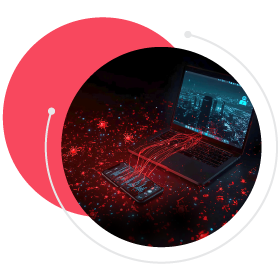
Infostealers (information thieves) are becoming one of the main digital threats to organisations in Portugal. According to data from the National Cybersecurity Centre (CNCS), more than 80% of malicious code activity detected in the country is associated with this type of malware, which is specifically designed to collect sensitive information silently. But what exactly are infostealers, how do they operate, and what measures should we adopt to reduce the risk?

Infostealers are designed to capture personal and professional data, including usernames, passwords, credentials for accessing online services and even financial information, such as credit card numbers. Once installed on a computer or smartphone, the malware operates discreetly: it automatically copies credentials stored on the system and sends them to servers controlled by cybercriminals. From that moment on, the stolen data can be used to fuel more sophisticated attacks, such as ransomware campaigns that lock critical files and demand ransom payments, or it can be resold on underground markets, often hosted on the dark web.

Intro


Attention: if you identify an infostealer, changing compromised passwords is not enough. It is essential to ensure that the device is completely cleaned in order to prevent the malware from remaining active and collecting new data.

As the silent theft of information has become one of today's main digital threats, requiring continuous preventive action from organisations, Devoteam Cyber Trust shares a set of practical recommendations.

How to protect yourself against infostealers?
  • Be wary of suspicious links and files. Do not click on pop-up windows or download software from untrustworthy sources.
  • Use different passwords for personal and professional accounts and enable multi-factor authentication, for example by receiving an additional code via SMS.
  • Whenever possible, use separate environments for personal and professional use.
  • Do not log in to work accounts from public or shared computers, smartphones or tablets.
  • Use private browsing mode or delete cookies and sessions after use.
  • Do not store sensitive data (such as credit card details or passwords) in the browser using auto-fill. Prefer to enter them manually.
  • Install anti-malware software with real-time protection and keep it up to date at all times.

Read Devoteam Cyber Trust newsletters here: https://www.integrity.pt/newsletters.html


Archive

2026

2025

2024

2023

2022

2021

2020

2019

Subscribe our newsletter.


Cookie Consent X

Devoteam Cyber Trust S.A. uses cookies for analytical and more personalized information presentation purposes, based on your browsing habits and profile. For more detailed information, see our Cookie Policy.